

Sub Mini


Deepen your enjoyment of TV, films, and more with bold bass when you pair Sub Mini with Beam, Ray, Era 100, One, or One SL.
Place it anywhere in the room, breeze through setup with help from the Sonos app, and experience richer, more immersive sound without any buzz.
Due to high demand, Orders will be dispatched between 8–10 March 2026.
Features

WiFi


Bold bass
Mini makes a big impact

More mesmerising music


No buzz or rattle

Better bass for your space
Connects wirelessly

Control your way

Hides in plain sight
Easy control


Plug, add, play
Tech Specs
- Audio
- Details + Dimensions
- Power + Connectivity
- Box Contents
- Requirements
Amplifiers
Both Class-D digital amplifiers have been perfectly tuned to the unique acoustic architecture.
Woofers
Dual 6" woofers face inwards for a force-cancelling effect.
Architecture
Sealed cabinet neutralises distortion and enhances bass response.
Frequency Response
As low as 25 Hz
EQ
Audio settings automatically equalise to balance Sub Mini and the paired Sonos product(s). Use the Sonos app to adjust bass, treble, and loudness.
Trueplay
This software measures the acoustics of the room then fine-tunes your Sonos system. Supported iOS device required.
Dimensions
Height: 305 mm
Width: 230 mm
Depth: 230 mm
Weight
6.35 kg
Colours
Black, White
Finish
Matte
Join Button
Press once to add Sub Mini to your system during setup.
WiFi
Connect to WiFi with any 802.11a/b/g/n 2.4 or 5 GHz broadcast-capable router.
Ethernet
10/100 port for hardwiring to your router
Voltage
100-240V 50/60Hz internal power supply
Operating Temperature
0°C to 40°C
Sonos Sub Mini
Power Cable I
Length: 6 ft (2 m)
Documentation
Quickstart Guide and legal/warranty information
WiFi
Internet connection
Power Source
Nearby electrical outlet
Sonos Product
At least one amplified non-portable product, such as Era 100 or Ray
Sonos app
The latest generation of the Sonos app running on a compatible device
Which Sonos products can be paired with Sub Mini?
Sub Mini will pair with an amplified, non-portable Sonos product by using the Sonos app.
What are the recommended products to pair with Sub Mini?
For the best experience, pair Sub Mini with Beam, Ray, Era 100, One, One SL, or an IKEA SYMFONISK speaker. Sub Mini is also recommended for smaller bookshelf speakers powered by Amp. Any generation will pair with Sub Mini.
Will Sub Mini pair with Arc?
Yes. Sub Mini works best with Arc in a smaller room and at low to moderate volume levels. If you have a larger space or intend to listen at higher volume levels, Sub will provide a better experience.
Does Sub Mini need to face a certain way?
No. Sub Mini was purposefully designed for flexible placement. It can face any direction but, unlike Sub, shouldn't be placed horizontally.
Can I connect Sub Mini to a third-party soundbar, wireless speaker, or Bluetooth speaker?
Sub Mini will only connect to an amplified Sonos product.
Do I have to plug in Sub Mini?
Yes. Sub Mini connects to your speaker or soundbar over WiFi but still requires AC power.
Do I need to set up Sub Mini when I set up my soundbar or speaker(s)?
No. The Sonos system is designed for modularity, so you can add Sub Mini any time.
Can I hardwire Sub Mini to my soundbar or speaker?
Sub Mini will only connect to your Sonos system over WiFi.
If I have Sonos speakers in various rooms, will placing Sub Mini in the centre of my home improve the bass of my entire system?
No. Sub Mini is designed to improve bass in a single room. Pair a Sub Mini to Sonos speakers in each room where you want to enhance bass.
Can I pair two in the same room?
No. To use two subwoofers in a single room, use Sub (Gen 3).
Can I use the Sonos S1 Controller app with Sub Mini?
Sub Mini requires the latest generation of the Sonos app (Sonos S2).
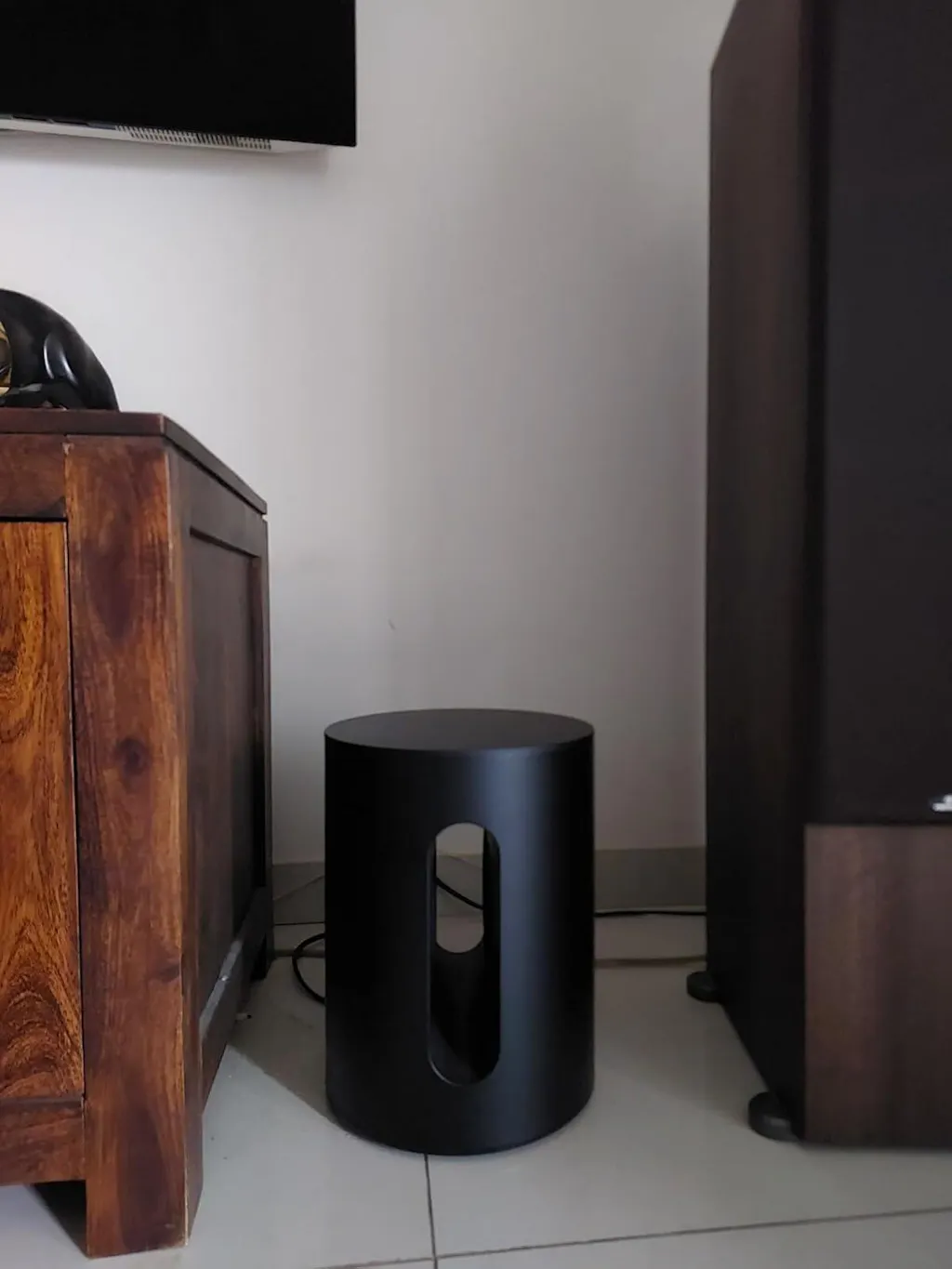
Learn how to set up, use, and care for Sonos Sub Mini, and get a comprehensive look at all the product’s features.